PRJ70x
The PRJ70x Class Blog
February 2021
This is the PRJ70x Class Blog Space. Learning resources will all be posted here instead of Moodle. MS Teams will be used for daily communication and quick sharing of ideas and instructions. Moodle will only act as the static course place holder for assignments, drop-boxes, etc.
Information for Employers
Information about work placements – brief description of work placement procedures and expectations
The NMIT – Industry Focused IT Student Project is a form that specifies the work placement project. The workplace contact/employer is filling it in.
The Workplace Report is the assessment of the student performance at the workplace by the contact person/employer. The score from this assessment replaces the supervisor score in the project report (20%).
Semester 1 2021
Student blogs
- Non Compulsory Session Semester 2, 2020
October 29 2020
The session will be on Thursday the 5th of November, 1 pm — 3 pm in A215. You might be busy with the last details in your report – or you are ready to celebrate a job well done? In any scenario, the session is there.

We will just have a look at previous students’ posters, discuss design ideas and look at different tools to create your poster. If you are unable to come – look in this blog under ‘Your Poster’ and you can get inspiration from previous posters.
While the poster does not contribute as much as the report to your final grade, it is still a very important part of the project’s assessment, as your poster is your way of showing the world what you have done in your project. You want people to read it, be engaged by it and use it as the basis for asking you interesting questions. Therefore you should spend a realistic amount of time designing, preparing your poster and demonstration. Also, ensure that your name, your supervisor’s name and the NMIT Logo (zip file with several variations) is linked on NMIT Moodle just above the poster Dropbox, above in this blog and here.
Once complete, please put a copy of your poster file into the dropbox on Moodle.
Instructions for preparation of posters for best print quality
Design your poster at the A1 size which is 594 * 841mm. Designing at A4 size and blowing it up is not a good option. If you wish the posters cut to bleed (print right to the edge after cutting), they should be 596 *843mm so that they can trim 1mm off all sides and still accommodate the A1 size. Supply as a high resolution (minimum 300dpi) pdf or jpg file. If supplied as a pdf, convert all text to paths or outlines, to ensure that fonts do not change.
Poster Creation Techniques & Tools
As first general rule would be to always create a ‘paper size’ of A1 (or the measurements of A1) to work on – no matter which tool or software you are using. This way you achieve both to have an overview of what you are putting on your poster, and you are getting a good resolution when you are printing out.
Discussions with previous about tools/software to create posters, we came to the conclusion, that the following tools could be recommended – with increased difficulty and complexity from top to bottom of the list:
- Word
- Publisher
- PowerPoint
- Visio
- Photoshop
The printing shops will be able to print out Word files and graphics files from Photoshop and Publisher. If you are working with other file formats – just choose ‘Save As’ and select PDF in those applications. And the A1 sized PDF can be printed out at the printing shop.
You are free to have your poster printed wherever you like, but in the past we have suggested either Speedy Print Nelson Ltd., 75 Buxton Square, Nelson or The Warehouse Stationery in Bridge Street. I haven’t checked for a while, but you can probably get your poster printed and laminated for around $30.
Poster Design
According to me posters should be;
Big – Bold – Simple – Explanatory
I think that designs based mainly on diagrams and models, without much text, achieve that.
Job Seminar Semester 2, 2020 Thursday October 29, 1.10 - 3 pm, Room A215
October 6 2020
Non Compulsory Session
Cherie from SANITI is holding this seminar. Please note that the session starts 1.10 pm
Third Compulsory Session Semester 2, 2020, Thursday, October 15, 1-3 pm, Room A215
October 5 2020
NB Compulsory Attendance
We have the second compulsory seminar, Thursday the 15th of October at 1 pm – 3 pm in A215. Please be ready to make a micro presentation about your project and how it has developed and progressed. No slides, no formal stuff – just a couple of minutes of you talking and answering questions.
NB Compulsory Attendance
Report Writing - Compulsory Session Semester 2 2020, Thursday, September 24, 1-3 pm, Room A215
September 24 2020
Next compulsory seminar session is happening - Thursday, September 24, 1-3 pm, Room A215. The purpose of this session is to prepare you for report writing. There will be a combination of information from me, examples from previous students and a few exercises.
Resources are uploaded in MS Teams.
See you on Thursday :)
NB Compulsory Attendance
Design- & First Compulsory Session Semester 1, 2021
May 16 2021
NB Compulsory Attendance
Finally the first seminar session is happening - Friday, May 16, 11 am -1 pm, Room A212.
After a brief introduction from me, our inhouse expert designer, Klaasz Breukel will hand out designing advise. He is teaching design and CGI here at NMIT. The advise will come in handy when you eventually are going to design your poster - if not before.
After that, you will individually be presenting your project and your progress. Please remember that no no more than 3-4 min is allocated to each student. Less is perfectly OK. Also, it is an informal presentation, so no slides are needed - you can if you like, though. Main thing is that we get a clear picture of what you are doing in your project and how it is going. See you on Friday :)
The following tutorials have been selected by Klaasz:
Be creative!
NB Compulsory Attendance
Welcome to Semester 1, 2021
February 2021
Welcome to Semester 1, 2021. I am Lars, and I will be the coordinator for the Project Paper.
We are having our first session for students new to the paper on Friday, 26th of February, 11 am - 1 pm in A212. Everyone currently enrolled in PRJ701/702 and/or already working on a project should attend, so we are sure that all project students meet and share information, questions and experiences.
The way the information for this course is organised, is that course descriptions, assessment schedules, assessment guidelines, drop boxes, etc. – in short all static official information – is sitting on the Moodle Site. This Jekyll blog is the place for tips, links, guides and information about previous projects. This semester most of the students will be studying online from China. The communication and the time difference will surely be a challenge, so I ask all of you to not only to be understanding, but also to give me immediate feedback if/when something doesn’t work for you. Feedback, instant upload of material and daily communication is happening with MS Teams in our PRJ70x Team.
Please take time to have a good read through the course documents. The course can appear complicated at first sight – so it is important that you get an overview of the structure before we meet.
Warm regards, Lars
Useful Resources for Students
Your Proposal
Your Report
Your Poster
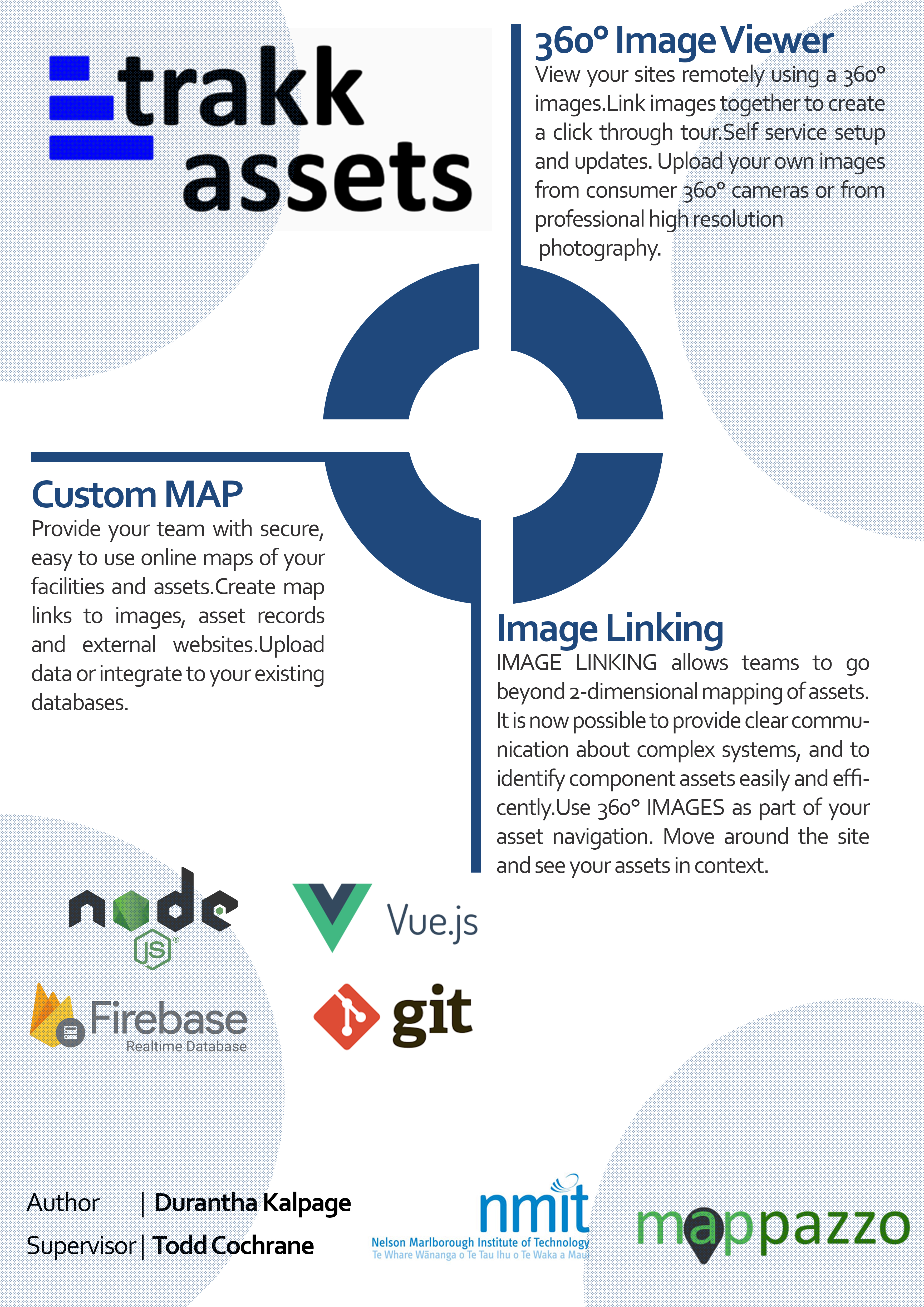

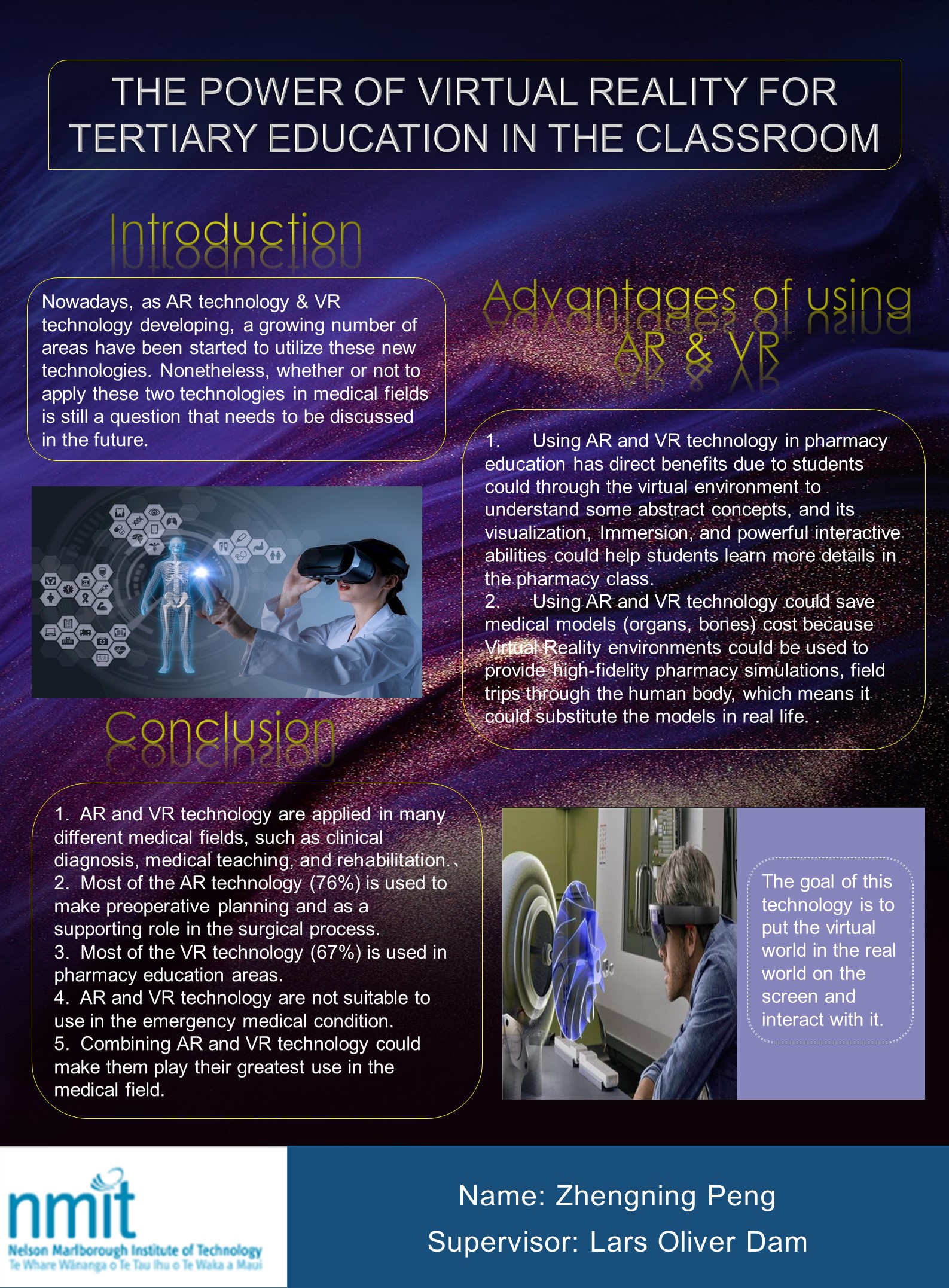
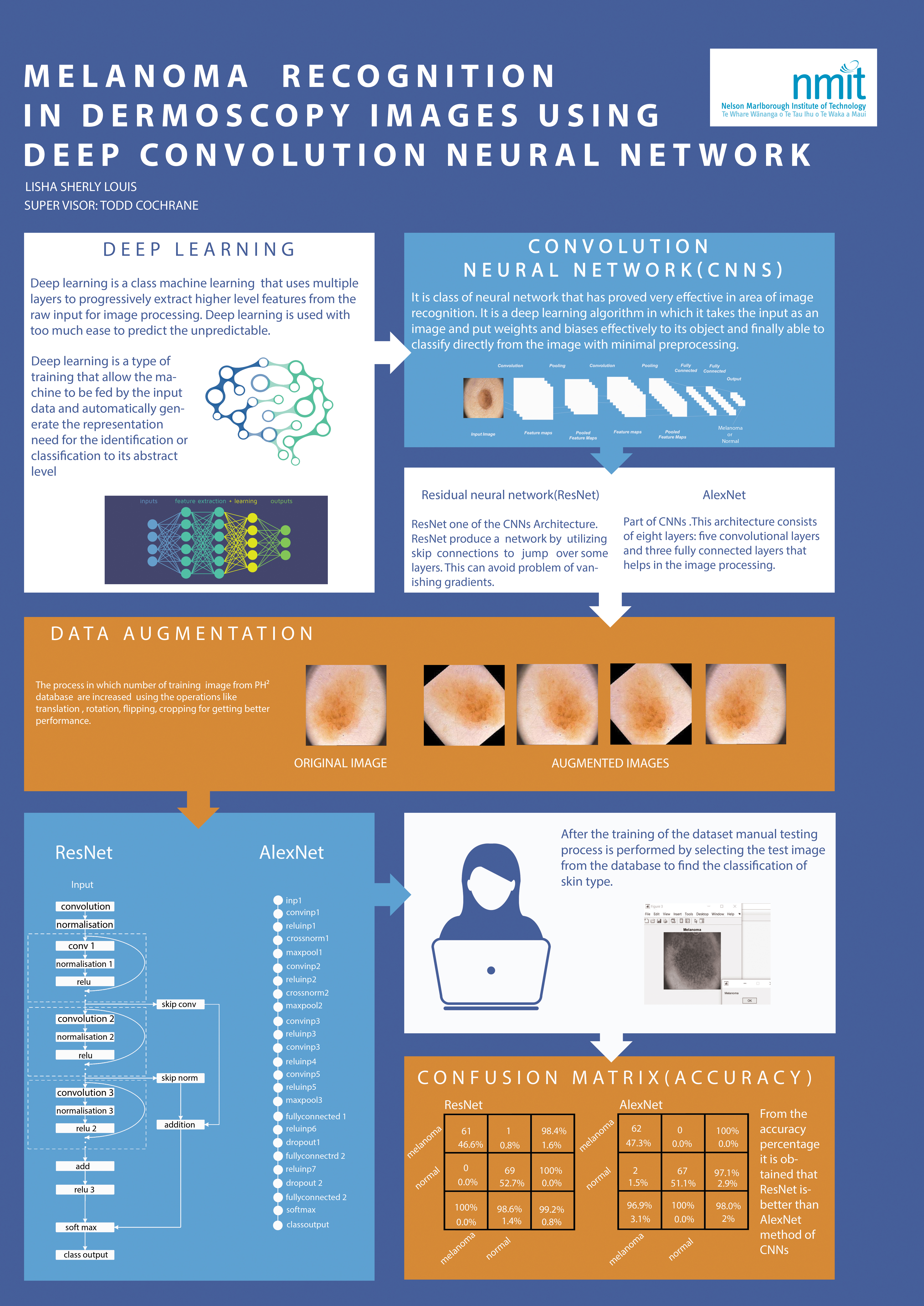
- Posters from previous years can be found here below, along with links to Student Blogs/Journals
- Poster examples from before 2020: 2019 Semester 2, 2019 Semester 1, 2018 Semester 1 & 2
- Creating A1 poster (video)
- Poster design tips
- NMIT Logo files
Other Resources for Students
Previous Projects
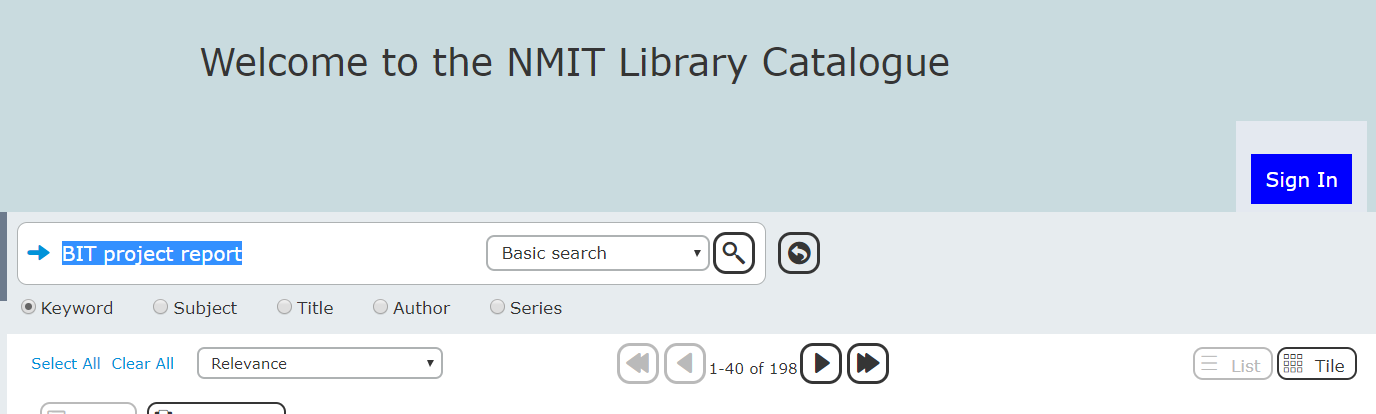
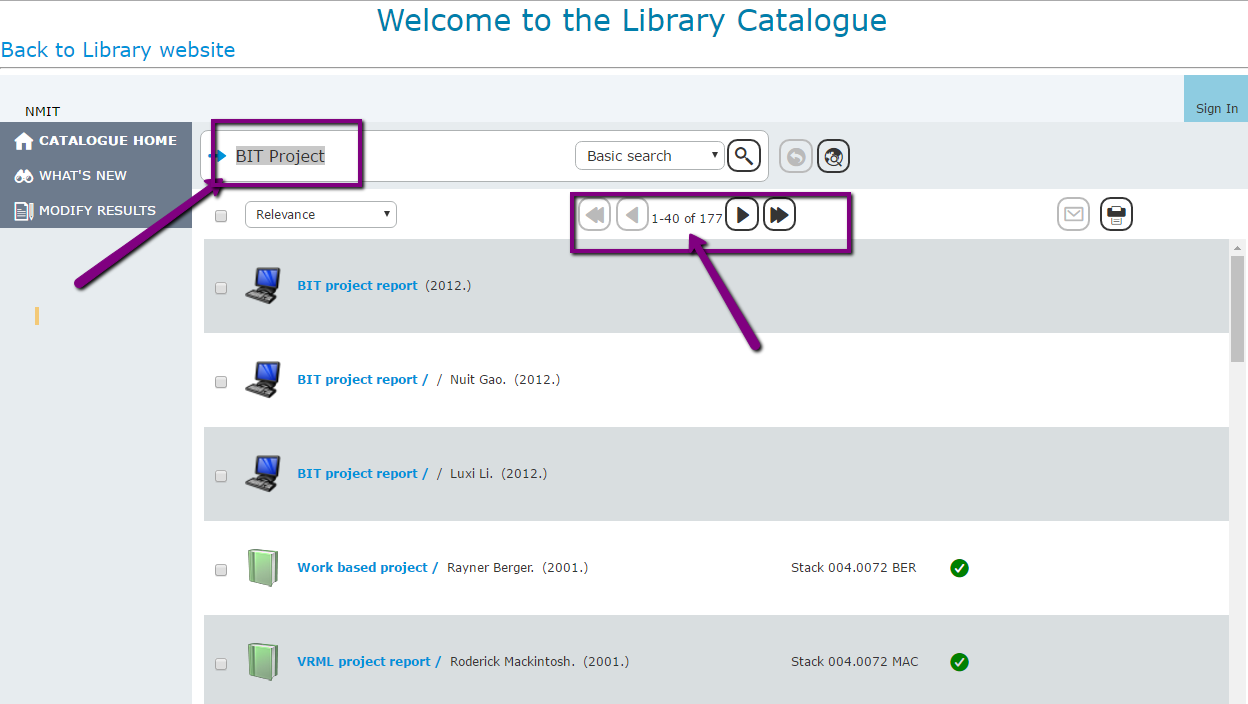
You can find (almost) all of the previous BIT/GradDipIT reports in the NMIT Library. Click the previous link and follow the guidelines below:
Semester 2 2020
Student blogs
- Aileen
- AJ
- Akhil
- Anushka
- Aparna
- Asha
- Asriel
- Blake
- Brad
- Callum
- Chamara
- Corrina
- David
- Daniel
- Erik
- Finn
- Gijs
- Jason
- Jayden
- Jonathan
- Kashish
- Mariya
- Pukar
- Sakar
- Sharad
- Suhaib
- Sujani
- Vishnu
- Vishnupriya
- Vishvat
- Zaihong

Student Posters
- Poster 1
- Poster 2
- Poster 3
- Poster 4
- Poster 5
- Poster 6
- Poster 7
- Poster 8
- Poster 9
- Poster 10
- Poster 11
- Poster 12
- Poster 13
- Poster 14
- Poster 15
- Poster 16
- Poster 17
- Poster 18
- Poster 19
- Poster 20
- Poster 21
- Poster 22
- Poster 23
- Poster 24
- Poster 25
- Poster 26
Semester 1 2020
Student blogs
- Albert
- Aline
- Arjun
- Balaji
- Blake
- Brad
- Bryce
- Daniel
- Dura
- Erik
- Jasvir
- Lisha
- Marcellus
- Milton
- Oleg
- Reetinder
- Shivnagi
- Sinhara
- Zhengning
- Wenjie-Li
Student posters